Search results for tag #python
![[?]](https://fedi.stfn.pl/fileserver/01G5XZFT0AR1QB07GENYDDY6FT/attachment/original/01JFSF3HAPH9EBKGF13FDJPS97.jpeg)
In other other news, I finally had some time and will to work on Pyriodic Backend over the weekend, I might do another release soon
![[?]](https://pouet.chapril.org/system/accounts/avatars/115/101/992/778/034/423/original/26a7d857522e91a0.webp)
#python #programming advice request. #multithreading
I need to have a task running in background to check a serial port, making the last data received memorized for the main process. Which library would you use ? I will look at your advices to learn. Thanks !
![[?]](https://social.moreati.org.uk/system/accounts/avatars/109/344/331/975/352/260/original/b3a0e5b7f35bb23c.jpg)
strtoolz now includes `replace_count()`, `replace_exactly()`, & `replace_nth()` https://pypi.org/project/strtoolz/
>>> strtoolz.replace_counted('A man, a plan, a canal, Panama', 'an', 'AN')
('A mAN, a plAN, a cANal, PANama', 4)
>>> strtoolz.replace_exactly('A man, a plan, a canal, Panama', 'an', 'AN', count=5)
...
ValueError: Only 4 occurrences could be replaced, required 5
>>> strtoolz.replace_nth('A man, a plan, a canal, Panama', 'an', 'AN', n=1)
'A man, a plAN, a canal, Panama'
![[?]](https://cdn.fosstodon.org/accounts/avatars/114/055/817/793/628/268/original/81bfb20505d2af51.png)
🎬️️️️ Magia TUN/TAP: Piszemy własnego VPN-a w 100 linijkach Pythona – Miłosz Kucharski
Budowaliście kiedyś własnego VPNa od zera? Jeśli nie, koniecznie obejrzyjcie tę prelekcję – Miłosz pokazuje, jak zrobić to w Pythonie, wykorzystując stos sieciowy Linuxa.
👉️️️️️️️️️ YouTube: https://youtu.be/XpP3l713H5A
👉️️️️️️️️️ PeerTube: https://play.kontrabanda.net/w/d8VjSg5UsSrve18Va8EQJn
![[?]](https://cdn.masto.host/rustedneuroncom/accounts/avatars/000/000/001/original/6297d4b50771d4b7.png)
OK, I found it! A #manga about working as a software drone where the boss lays off the person keeping it all going and then the company falls apart. It's a coder revenge fantasy and it even teaches #Python!
(Also? The main character is a female programmer into #cosplay.)
Review here:
> Fired? But I Maintain All the Software! https://www.animenewsnetwork.com/review/fired-but-i-maintain-all-the-software-volume-1-light-novel/.242460
Scanlation here if you want a taste before buying:
![[?]](https://media.norden.social/accounts/avatars/109/240/349/632/849/048/original/a0ff38211674b8de.jpg)
🎬️️ Jak łatwo napisać dziurawy serwis w Pythonie (i jak go poprawić)
Posłuchajcie jak @zbyszek opowiada o bezpieczeństwie serwisów pisanych w Pythonie, na przykładzie prostej aplikacji #Flusk.
Nagranie z P.I.W.O. 2026 w ramach ścieżki @pyconpl / PyPoznań.
👉️️️️️️️ YouTube: https://youtu.be/Q2-Jiml3xus
👉️️️️️️️ PeerTube: https://play.kontrabanda.net/w/rZzAk1Xsegn6yGNY6WNWuS
#piwo #piwo2026 #python #security #fask #poznań #uam #daemon
🎬️ Prezentacja nt. skryptu w Pythonie, który nie powinien być skryptem w Pythonie – Mateusz Reszka
W tej prezentacji poznacie historię próby przeportowania skryptu adbcam na Bash. Zachęcamy do obejrzenia!
👉️️️️️️ YouTube: https://youtu.be/AehVjxtSHpI
👉️️️️️️ PeerTube: https://play.kontrabanda.net/w/4qMidPCx3Q98SfJhPWM7zc
#piwo #piwo2026 #python #bash #pypoznań #pyconpl #bash #adbcam
🎬️ Anegdoty z Pythona 3.15 – Bartosz Sławecki
Kolejna prezentacja ze ścieżki @pyconpl / PyPoznań. Bartosz wprowadza uczestników w świat nowości Pythona 3.15. Jeżeli jesteście ciekawi, co nowego pojawiło się w tej wersji – obejrzyjcie tę prezentację! ;-)
👉️️️️️️ YouTube: https://youtu.be/fGPJcw09Ai0
👉️️️️️️ PeerTube: https://play.kontrabanda.net/w/8C3PJt25o9HQAcE7vRoStE
🎬️ Marimo as the successor to Jupyter Notebook – Mateusz Konat
In this video, Mateusz talks about @marimo_io – successor to the popular Jupyter Notebook. If you're interested in the latest tools from the Python world, be sure to check out this presentation!
👉️️️️️️ YouTube: https://youtu.be/avUW_xI2spg
👉️️️️️️ PeerTube: https://play.kontrabanda.net/w/ru3yBcg1kQqiLQqTP6Kfkr
🎬️️️️ Praktyczne CLI w Pythonie – Błażej Święcicki
Kolejne nagranie z #PIWO2026 – tym razem w ramach ścieżki @pyconpl / PyPoznań.
👉️️️️ YouTube: https://youtu.be/Pinc8LIYwOM
👉️️️️ PeerTube: https://play.kontrabanda.net/w/1EfHAj6mJsaZusxdLKCsz1
![[?]](https://gyptazy.com/fedi/gyptazy/s/avatar-1aa83a84ee47c864bc90216a89d0efcf.png)
PegaProx for #Proxmox VE and #XCPng clusters made a huge step and is finally out of beta!
The first stable release also comes around with companies providing enterprise support. If you need SLA-backed help running PegaProx in production (or training sessions) you can now find a support partner at:
Enterprise Support & Sponsors: https://pegaprox.com/sponsors.html
Release: https://github.com/PegaProx/project-pegaprox/releases/tag/v1.0
Website: https://pegaprox.com
#homelab #virtualization #opensource #community #python #virtualization #enterprise #business #support

Alt...
PegaProx v1.0 Release
![[?]](https://m5l.eu/u/marek/s/avatar-ff8999a3b20360a58bc1da5859b98e8a.png)
Well, once I became the person to guess that and I'm simply translating some textures with #Cpp everything is butter smooth again.
See it working at https://marsh-sim.github.io/bibliography/
Because everything is written in regular files, the editor can autocomplete citation keys without any special tooling - they are just sections in another file. This kind of interoperability is why simple tools like text files and #ssg are so great.
I'm not a fan of hosting it on GitHub anymore, but there are already links in various places that I can't update, so this is the reasonable thing to do.
- switching between #Zig versions, I liked it more than the dedicated anyzig
- #Python venv activation – it's silly but feels so good, and collaborates with uv
- ensuring I have the right language server and formatter for a project, be it #Lua, #TypeScript, and trying out various options for Python
- setting LANG="C.UTF-8" only in the specific project folder because #Ansible refused to work with Polish...
The final boss was getting a really comfortable Tree-sitter setup: get the #Rust CLI, write grammar in #JavaScript, re-generate and run tests on source change as a mise Task. And then I only cloned the repo on another machine and was ready to go!
This post was written as a more cultured outlet for my excitement instead of aggresively committing mise.toml into every repository I touch
Join the fun at: https://paste.sr.ht/~maarrk/2f1125139c62ebc567d15eac5e066a73ef638845
What made me finally try something else than raw pip and venv was easy installing of multiple Python versions. I was completing a PR to a library that (admirably) wants to support the old ones as well. Once I had the tool, I tried it for releasing a new version of my own PyPI package, and I wasn't ready for how fast and convenient it would be.
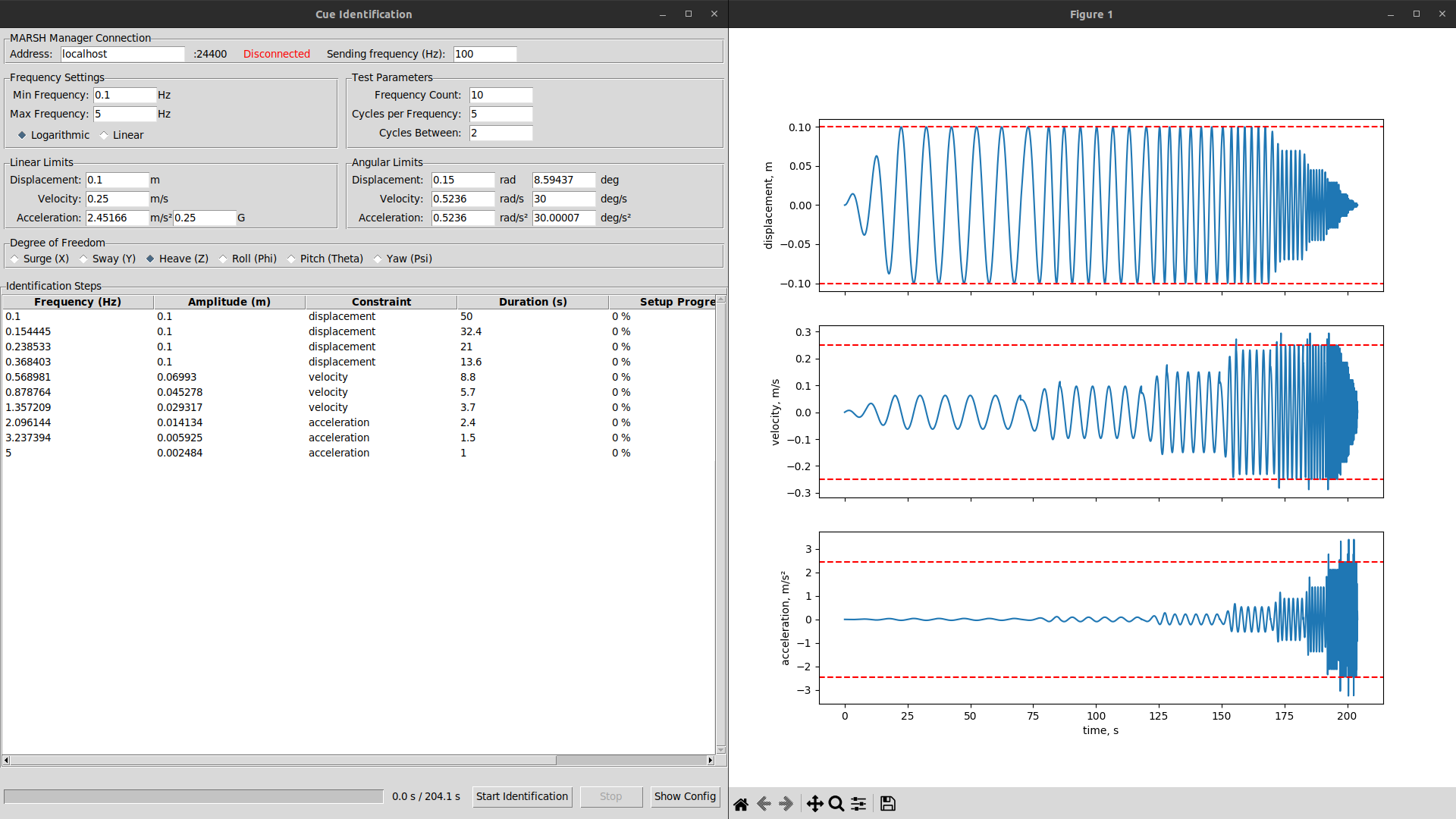
I did enjoy the ease of setup of TkInter, and compatibility with Matplotlib, but I was missing the simplicity of immediate mode libraries. In trying to emulate these, now a few callbacks trigger "given this dataclass with state, the widgets should look like this".
The micro-management gremlin is whining that it's repeating useless work, but more importantly the window is complete and I can go on with the experiment.
Alt...
Screenshot of a basic graphical application with settings, showing plots of generated signal to its side.